Marketing
Your Complete Marketing Checklist For A Brand Refresh
February 12, 2026·5 min read
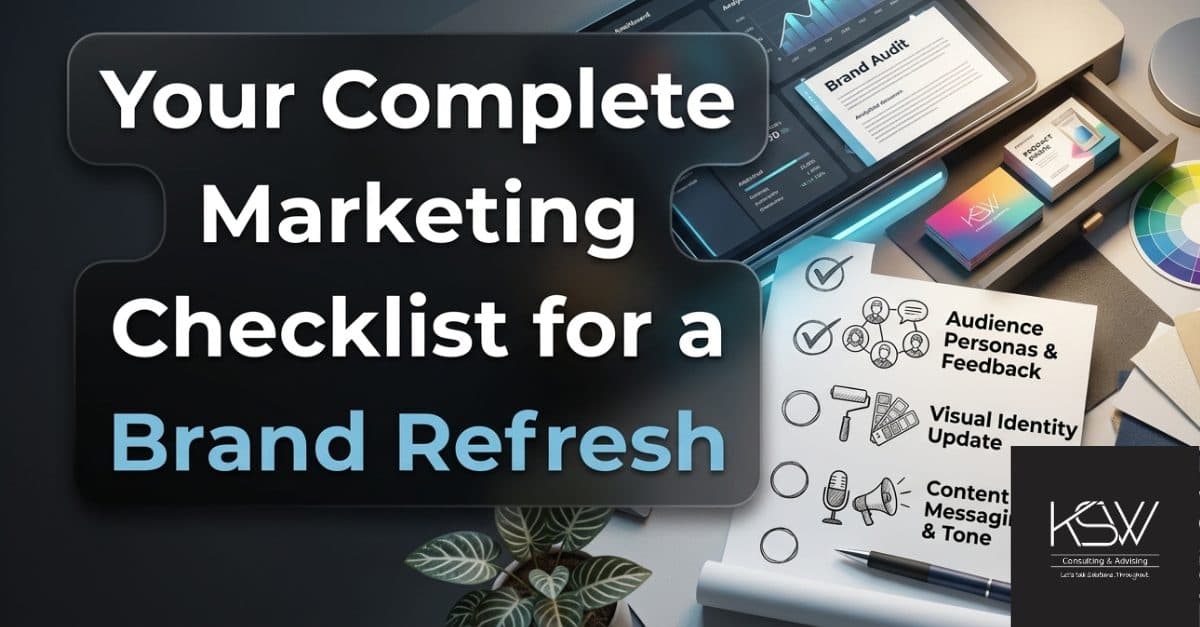
Whether you're refreshing your homepage design or going for a full brand refresh (and here are our tips for when you need to invest in that refresh), it's important to take a look at all of your marketing assets and make sure that they are updated. Otherwise, you create inconsistency, which leads and clients can pick up on, tarnishing the brand you are working so hard to refresh! Your brand is not just about colors or fonts, it's about how you present yourself to the world, and it impacts how much you can charge, who wants to work with you, and who wants to work for you.
At KSW Solutions, we believe in automating whenever possible, so you can save your team's capacity for the important things. That's why we've created a spreadsheet that you can use as a foundation, to track all of your marketing assets associated with your brand. This way, whenever you fundamentally update how you look, you can make sure that you've updated all of your relevant marketing materials — from social media banners, website headers, business cards, to socks (who doesn't love branded socks at events).
Step 1: Lock In Your Foundation
If your website doesn't match the rest of your marketing assets, visitors might think they are on the wrong site when visiting you for the first time. Make sure that your website exemplifies your brand visually in every way possible. This makes it easy for visitors to quickly recognize your brand whenever they see you — be it in their social media feed, display ads, or even a billboard (hey, those still work). Your website is your most effective SDR, a 24/7 salesperson who is always there when a lead comes their way, so make sure it's putting the right face forward. Whatever changes you're making to your brand should start and end on your website, and be translated to every other space you occupy. Notice how our YouTube channel and LinkedIn banner match our homepage?
Step 2: Prioritize Revenue-Critical Assets
It's marketing's job to make sure that Sales has everything they need in order to close leads (and to generate leads!). That's why every brand refresh needs to be critically analyzed to decide what is worth spending time and money to update, and what can wait. The most important pieces are those that impact revenue, such as:
- Homepage (as discussed above)
- Landing page templates
- Company pitch deck
- Product one-pagers
- Proposal templates
- Pricing sheets
- Paid ad creative
- Newsletter template
This ensures:
- Your paid traffic reflects the new brand
- Your sales team does not present outdated materials
- Your conversion paths remain cohesive
If your client-facing assets look disconnected, your business looks less trustworthy. Don't think those details go unnoticed, and that your brand might end up the butt of some jokes on Reddit (which of course are then picked up by ChatGPT).
Step 3: Growth & Amplification Assets
In an ideal world, the following assets are rolled out at the same time as those in the steps above, but in terms of prioritization, the Facebook header definitely ranks below pitch decks.
- Blog templates
- Case studies
- Webinar decks
- Social media templates
- Marketplace profiles
- Media kit
- Event materials
If you have a set booth kit, having one or two new rollups or other accent items that reflect the new branding can help present the new brand look, while extending the shelf life of expensive event materials (such as apparel and swag).
Step 4: Everything Else
It's hard to break habits, and even harder for the marketing department to get the rest of the company to move away from their templates to updated versions. These can include:
- Onboarding emails
- Internal documentation
- HR materials
- Training decks
We might have worked with a sales guy who still uses an event summary template from 2004. It doesn't impact leads or revenue, so the CRO doesn't care.
The 90-Day Rollout Structure
Too overwhelmed to know where to start? Here are a few suggestions on how to break down the updates:
- Weeks 1–2: Finalize brand guidelines and templates.
- Weeks 3–6: Update website, sales decks, and paid campaigns.
- Weeks 7–10: Refresh marketing assets and discovery channels.
- Weeks 11–13: Update product UI and internal materials.
Again, ideally these are updated in stages internally, but rolled out together. The internal materials should be ready when the brand refresh is shared internally, so staff can start using the new templates and email signatures immediately.
Tl;dr Common Brand Refresh Mistakes
- Updating low-impact assets before high-impact ones: Remember, this is a business, not a hobby. Always prioritize revenue generation.
- Running paid campaigns with outdated creatives: If you still have an ad with "2025" running on Jan 1, 2026, you're letting your leads know you don't pay attention to details.
- Forgetting marketplace profiles: Keep track of everywhere you exist online so that when your marketing intern goes back to college, someone will know what needs to be updated.
- Letting sales use legacy decks: Transfer their decks for them, make it easy to work with the new brand.
- Running new and old branding simultaneously: Seriously, what was the point of the refresh if you're going to continue to use old assets?
Because we like you and want to make your work easier, we've created a spreadsheet that you can either upload to a monday.com board or use as-is to track your marketing assets. It's valuable for brand updates, but also to have a library of all of your marketing output! Get in touch and we'll send you the tracker.
Category
B2BB2CMarketingTips
Share on Social Media
Who needs another newsletter?
We send a few focused emails a month with real sales and marketing takeaways. Keep it if it helps. Drop it if it doesn't.